Convert your PDF to flipbook

Optimized for web delivery with true text sharpness. Track user engagement with heatmaps and add interactivity.

With FlowPaper, your brochure, magazine, or catalog can be converted into a responsive flipbook in just a few clicks. FlowPaper optimizes your PDF files as they are imported, to deliver the fastest and sharpest user experience for your visitors.

Get your PDFs online easily with our online flipbook maker and deliver the fastest and best user experience.

Create your Online Flipbook in minutes

1

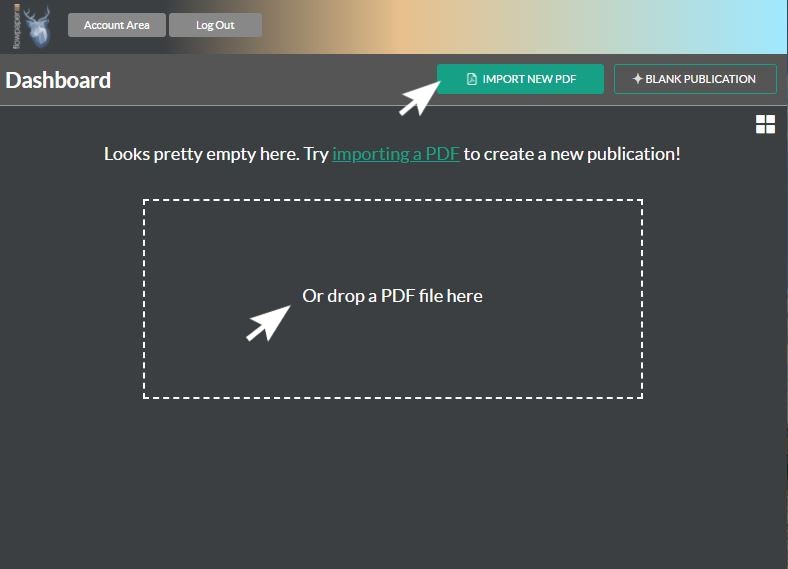
Import your PDF

Simply drag and drop your PDF file or select the file from your computer to import it. Select the type of template you want to use, and your flipbook will be ready in just seconds.
2

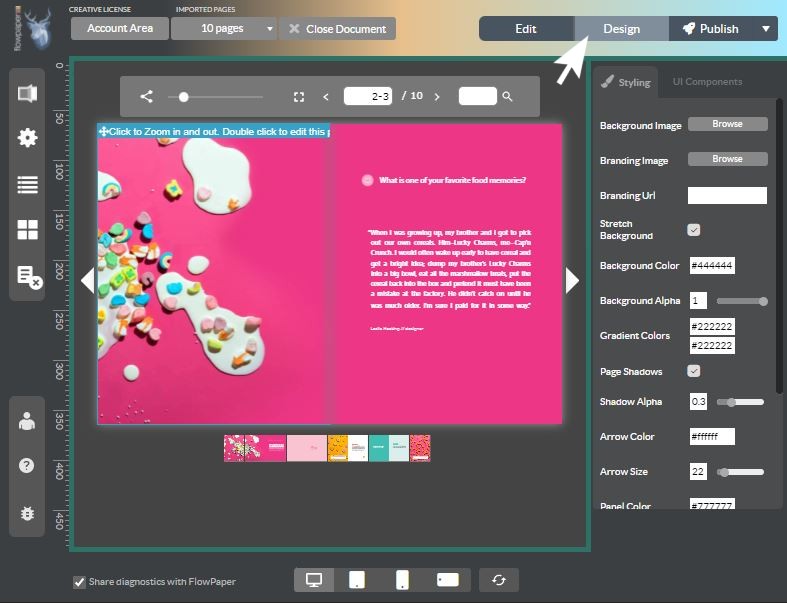
Style your Flipbook

Style your publication, choose buttons for your toolbar, and decide how to animate your flipbook. Customize with add links, images, gifs, and videos to your publication. No coding needed!

3

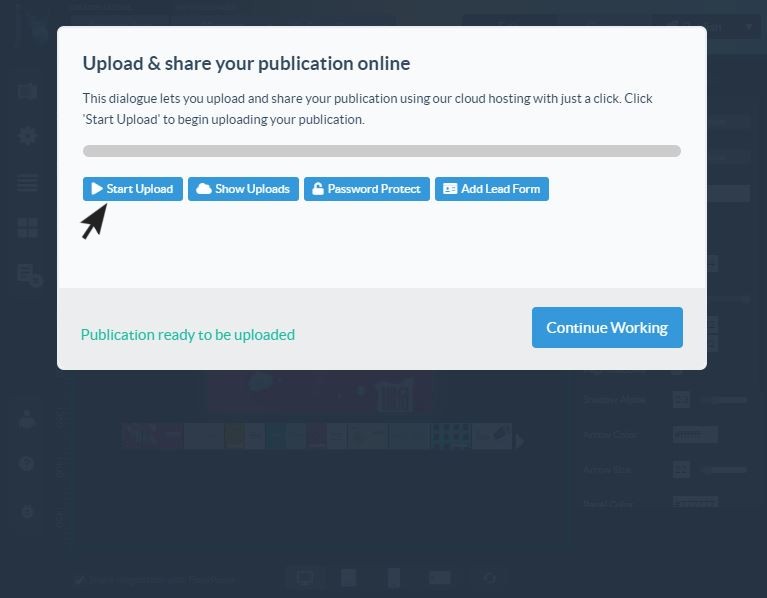
Publish and Upload

Choose if you want to upload your publication to our reliable high-performance cloud hosting or host the publication on your own server. Your publication is optimized for distribution to multiple channels such as Twitter, Linkedin and Facebook.
Test and embed the flipbook on your web site

The desktop publisher lets you try the flipbook you have created in a variety of different browsers and device sizes to make sure it looks just the way you want it. Seamless embedding on your web site. Try the result using the demo below!

Features

Personalize and Customize

Stay in charge of your digital publication with the ability to promote your own brand by adding your own logo and branding colors. FlowPaper lets you customize your brochure publication by choosing from a range of skins and templates. You can also select individual settings by choosing a toolbar, background colors, or add a background image.

Interactive Elements

Bring your PDF brochures to life by creating an interactive web publication with page turn effects using FlowPaper. Integrate videos, images, add links or embed videos to your digital brochure and choose between slide, flipbook, or tri-fold as a template to give your users a realistic experience.

Analytics and Heatmaps

FlowPaper lets you incorporate Google Analytics into your online brochure to track and measure the performance of your digital publications. Understand what users want, see and care about in your catalogs or brochures. The heatmaps provide strong indications of visitor motivation and desire.

Lead Generation

FlowPaper allows you to add lead forms to your digital brochure to collect leads. You can see how your users interact and engage with the sections of your content and allows you to apply lead scoring and trigger an intelligent follow-up to boost your engagement.

Mobile-Friendly

Let your customers access your Digital Brochure anytime and anywhere from their tablet, smartphone, or desktop. FlowPaper enhances the reading experience so that readers with small devices can tap on texts and quickly zoom in to read a specific paragraph.

Frequently Asked Questions

Yes. FlowPaper has a free plan that lets you upload a PDF, convert it, and publish a shareable flipbook online — no credit card required. Free accounts include hosting on the FlowPaper cloud and a shareable link.
Most PDFs are processed and ready to publish in under 60 seconds. FlowPaper automatically optimizes your file on upload, so there's nothing extra to configure.
No. The converter runs entirely in your browser. Upload your PDF, choose a template, and publish — no desktop software, plugins, or downloads needed.
Yes. After publishing, FlowPaper generates an embed code you can paste into any website, WordPress site, or CMS. The flipbook is fully responsive and works on all screen sizes and devices.
FlowPaper supports standard PDFs including multi-page documents, brochures, catalogs, magazines, and annual reports. Documents with text, images, and vector graphics are all supported.
Yes. After uploading your PDF you can add clickable links, embed YouTube or Vimeo videos, insert images and GIFs, and place lead capture forms — all without any coding.
FlowPaper gives you a direct shareable URL and an embed code. You can also share directly to LinkedIn, Twitter, and Facebook from the publisher, or download the flipbook to host on your own server.
Yes. FlowPaper integrates with Google Analytics and includes built-in heatmaps so you can see which pages your readers spend time on, where they click, and where they drop off.
Yes. You can add your own logo, customize colors and toolbar, and choose from multiple skins and templates. Paid plans also support publishing to your own custom domain.
Yes. Every flipbook created with FlowPaper is fully responsive. On small screens, readers can tap to zoom into text and navigate by swipe.