How to Convert PDF to EPUB
Converting PDF to EPUB is a common need for publishers who want to distribute books and publications through platforms like Apple Books and other digital bookstores. PDF files are not designed for flexible reading, so EPUB makes content easier to use across devices.
With FlowPaper, you can convert PDF documents into EPUB publications using the EPUB3 Publication template. This feature is available in the Enterprise plan and is designed for professional publishing workflows.
How to convert a PDF to EPUB
1) Open the Desktop Publisher
2) Import your PDF
3) Select the ePub3 Publication template
4) Choose a subtemplate:
-
Fixed layout to preserve the original design
-
Reflowable to create responsive content
FlowPaper supports two different EPUB export options, depending on how you want the final publication to behave.
Choose the right EPUB format
Fixed layout EPUB

The fixed layout subtemplate preserves the visual appearance of your PDF. Fonts and images are retained, allowing the publication to stay close to the original document.
You can enter edit mode to modify text and add elements such as links, images, or videos before exporting the file.
Reflowable EPUB
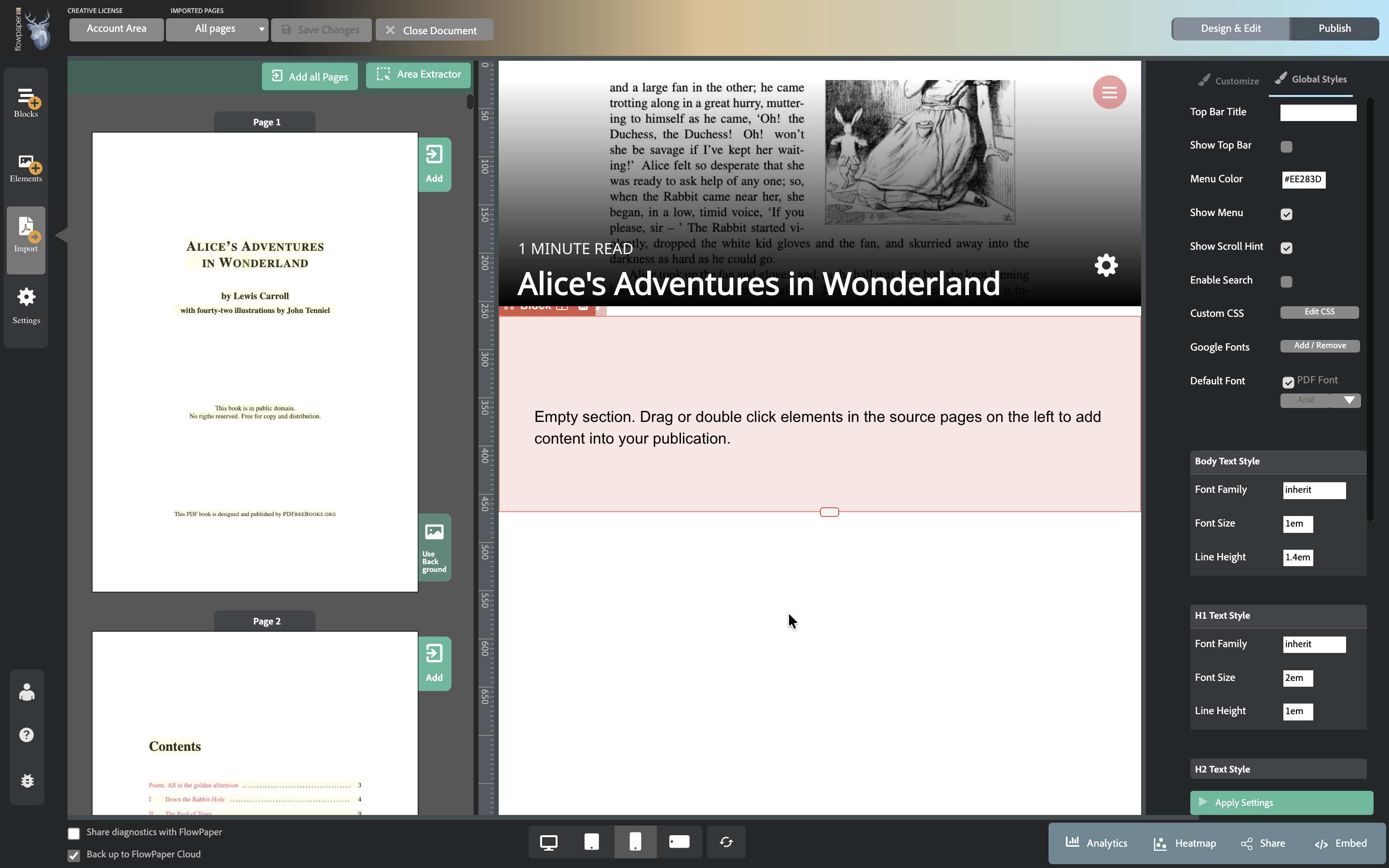
The reflowable subtemplate is designed for responsive reading and flexible layouts. When you select this option, the workspace is split into two areas:
-
On the left, you see your original PDF
-
On the right, you build your publication
You can add content by dragging or double-clicking elements from the PDF into the publication area.
Text is added as editable blocks, which you can modify, restructure, or organize into columns. You can also add interactive elements such as links, images, videos, or buttons.
This allows you to rebuild your content in a responsive format that adapts to different screen sizes.
Export your EPUB file
1) Click Publish
2) Click Show EPUB file to open the folder with your exported file
The EPUB file is not displayed in the browser. Instead, it is exported as a file that can be opened using an EPUB reader on desktop or mobile devices.