What Is a Flipbook? Interactive Digital Documents Explained
A flipbook is an interactive digital document that transforms a static file like a PDF into a browsable, clickable, and trackable online experience.
You’ve probably come across digital documents that are hard to read on screen. Flipbooks solve this by making static files interactive and easy to browse. But what exactly is a flipbook, where did it come from, and how can you use it? Let’s find out.
Video tutorial
From Paper to Digital Flipbooks
A flipbook was originally a small paper booklet that showed animation as you flipped its pages. When documents went online, the meaning of flipbooks changed.
Today’s digital flipbook looks like a real brochure or magazine, but adds features that make it easier and more engaging. You get clickable elements, media integration, and tools to track how people use your content.
Flipbook vs PDF: What’s the Difference?
A PDF is a static file. It preserves the layout, but the reading experience is limited to scrolling or jumping between pages.
With a digital flipbook, the document becomes interactive. You can click, explore, and engage with content directly. With a PDF, you don’t know if anyone actually read it — but with a flipbook, you can see how people interact with every page.
In short: a PDF is something you send; a flipbook is something people actually want to explore.
Key Flipbook Features
Page-flipping is just the beginning. What really matters is what you can do inside the document.
- Interactive content — Add videos, links, and pop-up images directly into pages. Instead of static visuals, you can show how something works or looks in real life.
- Clickable elements — Make parts of the page interactive. For example, a product can open its detail page, or a button can lead to a contact form.
- Built-in analytics — See how people use your flipbook: which pages they open, how long they stay, and what they interact with. This helps you understand what works and improve your content.
- Easy sharing and access control — Share your flipbook as a link, password-protect it, or keep it private.
- Works across all devices — Online flipbooks open smoothly on desktop, tablet, and mobile. The layout stays readable, and navigation remains simple, without forcing users to zoom or struggle with the interface.
- Branding and customization — Adjust colors, logo, interface, and overall look so the flipbook matches your brand.
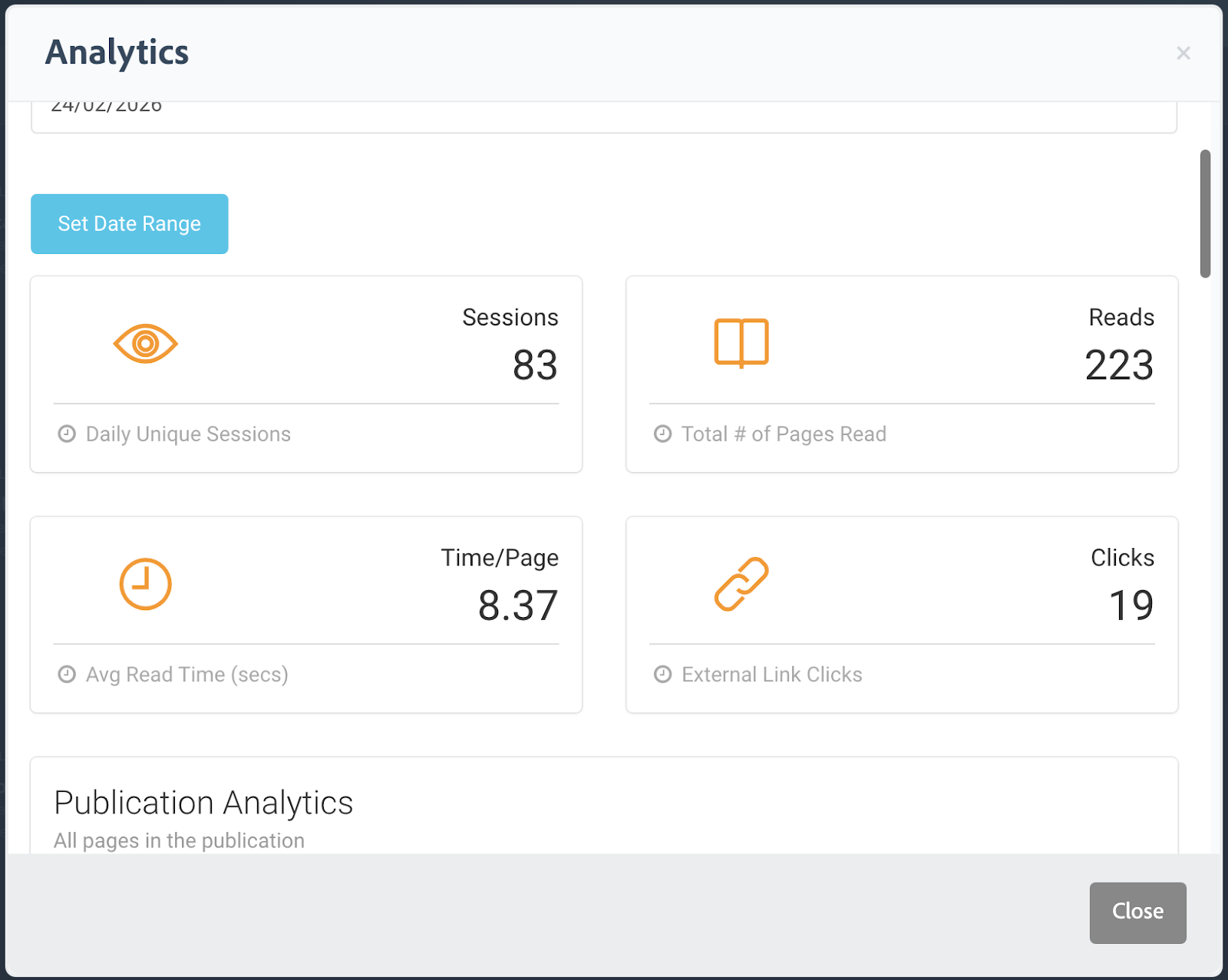
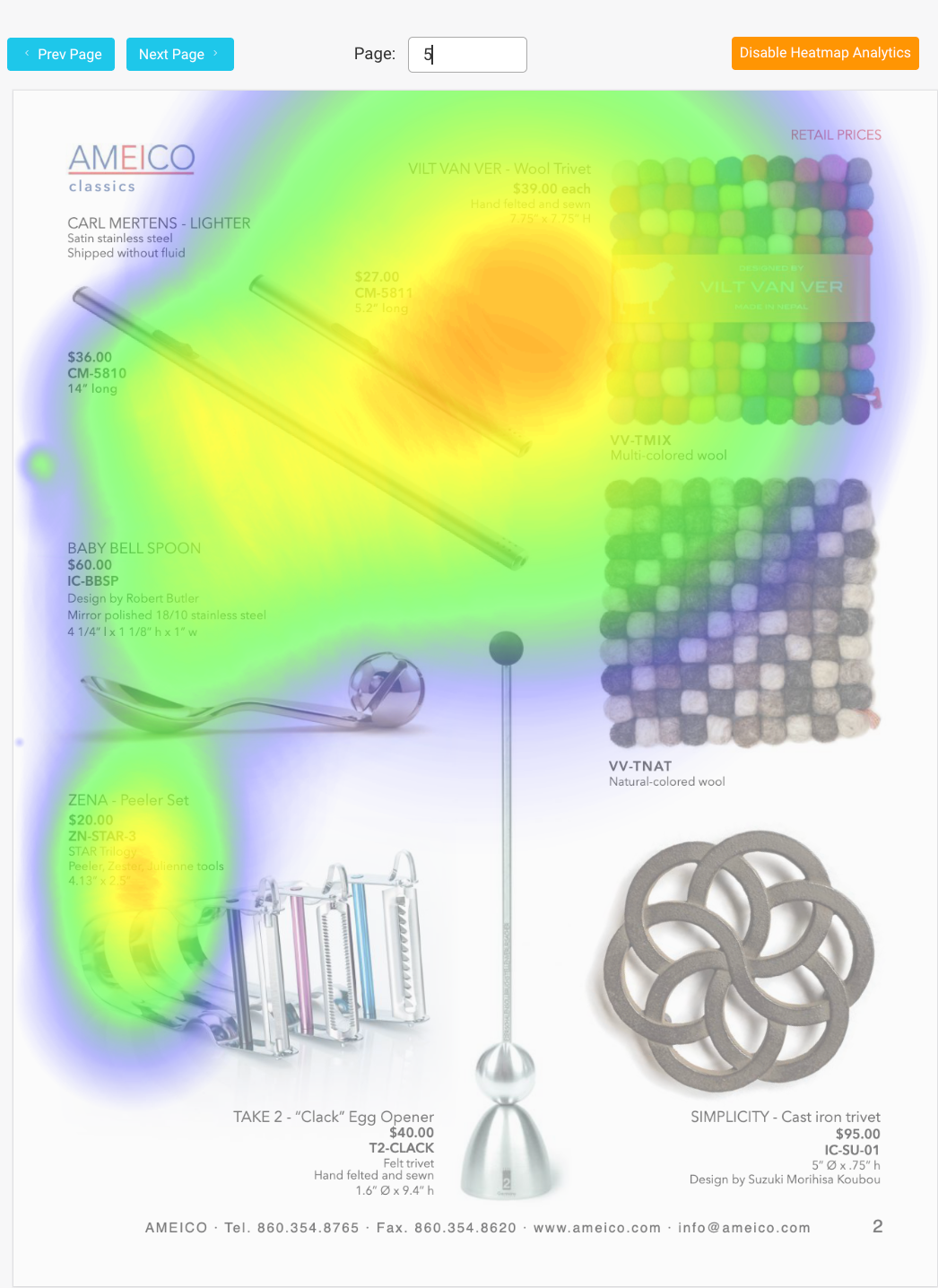
All of this means you are not just sharing a file. You are managing how your content is presented, accessed, and experienced.
Where Flipbooks Work Best
Flipbooks are most useful when content needs to be explored, not just read.
- Sales and presentations — Share proposals you can track and improve based on how clients interact with them.
- Product catalogs — Let users browse naturally and click on products to get more details or move toward purchase.
- Real estate — Present properties in one structured document and include video tours directly inside the pages.
- Portfolios — Show your work in a clean, page-by-page format that feels more professional than long scrolling pages.
- Education and training — Organize materials in a way that’s easier to follow and helps keep students’ attention, especially with visual and interactive content.
- Digital publishing — Create magazines, brochures, or reports that are easy to read on any device.
How to Create a Flipbook
The good news is you don’t need any design or coding skills. To create a flipbook, just start with a PDF.
With FlowPaper, it’s as simple as:
- Upload your document
- Customize how it looks and behaves
- Publish it as an interactive flipbook
In the next tutorials, we’ll go deeper into each step. You’ll learn how to customize your flipbook, add interactive elements, and adapt it to your specific use case.
To get started, create your free FlowPaper account and let’s begin the journey.